Secure connection management
Save PostgreSQL connections with host, port, database, user, SSL settings, keychain-encrypted passwords, URL import, testing, search, edit, and delete actions.
A faster desktop workflow for PostgreSQL
Browse schemas, filter and edit rows safely, run SQL, and export data from one focused workspace built around Postgres.
MySQL and MongoDB support is in beta.
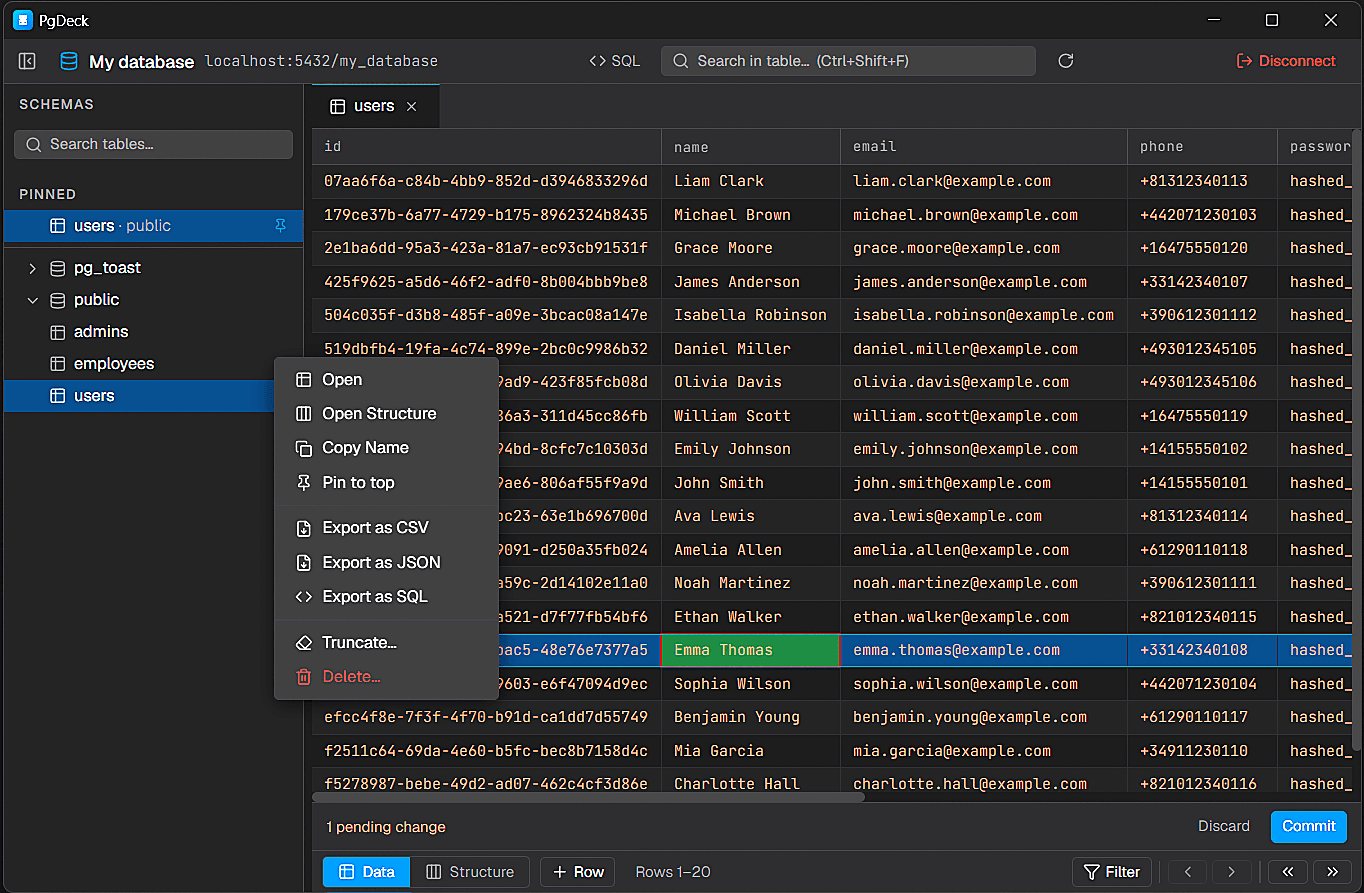
What PgDeck handles
The interface is shaped around real database administration: test the connection, inspect schemas, filter data, stage safe edits, change structure with previews, and run SQL when the task calls for it.
Save PostgreSQL connections with host, port, database, user, SSL settings, keychain-encrypted passwords, URL import, testing, search, edit, and delete actions.
Browse schemas and tables, auto-expand public, search across tables, pin favorites across restarts, resize the sidebar, and run table admin actions.
Sort columns, combine type-aware filters, search visible columns with PostgreSQL ILIKE, paginate 100-row pages, resize columns, and select multiple rows.
Double-click cells, edit boolean and enum values with dropdowns, set NULL, add rows, duplicate rows, stage deletes, then commit every change in one transaction.
Inspect columns, indexes, nullable state, defaults, and data types. Add, rename, change type, or drop columns with SQL preview confirmation.
Run SELECT, INSERT, UPDATE, DELETE, CREATE, ALTER, and DROP statements with syntax highlighting, independent tab history, and interactive query results.
Copy cell values, copy rows as JSON, copy selected rows as CSV, export the current page to CSV, generate INSERT SQL, or filter instantly by cell value.
Support optional and mandatory updates, background downloads, progress indicators, restart-and-install flow, and version-gated update rules.
Use shortcuts for filters, table search, tab closing, cell editing, add row, duplicate row, commit changes, query execution, and zoom controls.
Built for Postgres flow
PgDeck keeps the sharp edges visible: pending edits are explicit, destructive actions require review, and table context stays close while you work.
Shortcuts
Common table, editor, and zoom actions have direct shortcuts, so PgDeck feels fast during repeated database work.
Toggle filter bar
Focus table search
Edit selected cell
Commit staged changes
Run query or save editor
Duplicate selected row
Download PgDeck for Windows, macOS, or Linux and keep your database workflow focused.
Get PgDeck